Security dashboard
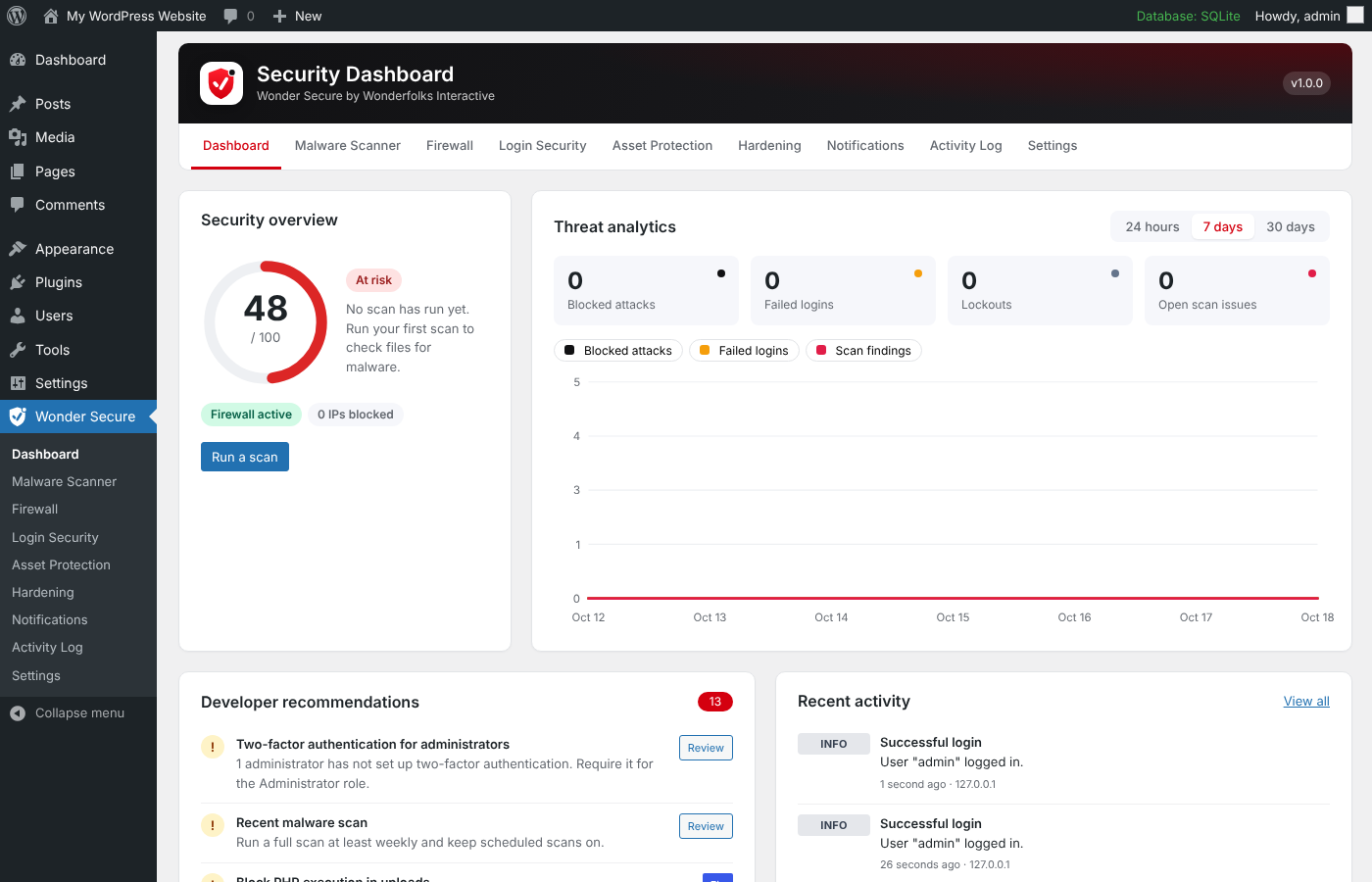
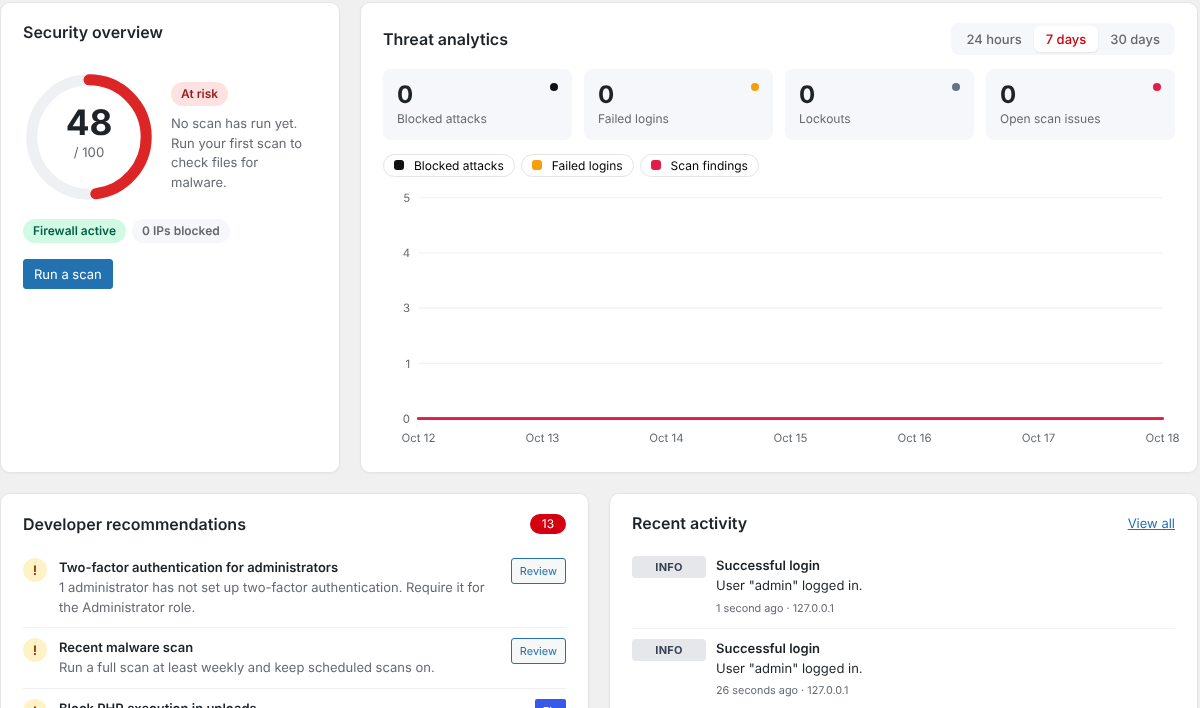
A score out of 100 with a clear status, a threat graph for 24 hours, 7 days or 30 days, and recommendations you can fix in one click.
How the dashboard worksWonder Secure brings a firewall, malware scanner, file integrity checks, login protection, two-factor authentication and image protection into one plugin, and explains everything it finds in plain language.
Replace a stack of single-purpose security plugins with one that shares a single log, a single score and a single set of alerts.
A score out of 100 with a clear status, a threat graph for 24 hours, 7 days or 30 days, and recommendations you can fix in one click.
How the dashboard worksCompares core, plugin and theme files with the official WordPress.org copies, hunts for malware signatures and restores changed files in one click.
Run your first scanBlocks SQL injection, cross-site scripting, path traversal, code injection and bad bots, with country blocking, IP lists and rate limiting.
Configure the firewallBrute force lockouts, two-factor authentication for any role, reCAPTCHA or hCaptcha, and a custom login address that hides wp-login.php.
Lock down loginsProtect the whole site, chosen folders or single images from hotlinking, right-click saving and dragging, and stop PHP from running in uploads.
Protect your mediaReal-time emails for admin logins, file changes, malware and attacks, plus daily, weekly or monthly summaries with your own branding.
Set up alertsThe dashboard turns raw security events into a score and a short to-do list, so you always know what to fix next.
The scanner works through your site in short batches, so it finishes even on shared hosting without timing out.
Malware signature: obfuscated eval
wp-content/uploads/2026/10/cache.phpModified core file
wp-includes/functions.phpKnown vulnerability, fixed in 5.9.1
contact-form-plugin 5.8.0Unknown file in core folder
wp-admin/includes/old-backup.phpMost attacks on WordPress go after the login page. Wonder Secure closes that door from four sides.
 Two-factor sign-in
Enter the 6-digit code from your authenticator app.
Lost your phone? Use a backup code.
Lockouts end automatically, or unlock an IP yourself.
Three steps take a fresh install to a site that is scanned, firewalled and watched around the clock.
Upload the zip from Plugins > Add New > Upload Plugin and activate it. The firewall starts protecting your site straight away.
Installation stepsBehind Cloudflare or a load balancer? Pick the right visitor IP source on the Firewall screen, then run your first scan from the Malware Scanner.
Your first 10 minutesWork down the dashboard list, turn on two-factor for administrators, and add an email for alerts. Your score climbs as you go.
Raising your scoreWonder Secure stores what it learns in your own database. Optional services stay off until you switch them on and enter your own keys.
No tracking, no phone-home, no account to create. Security events stay in your WordPress database.
Two-factor secrets are encrypted with the PHP sodium extension, and backup codes are stored as password hashes.
WPScan, IPinfo, reCAPTCHA, hCaptcha and the rule feed are only contacted after you turn them on.
Activity older than your retention period, 90 days by default, is deleted for you.
Every screen and API route needs the manage_options capability and a valid security nonce.
One line in wp-config.php turns off the firewall or the hidden login page if you ever lock yourself out.
The user guide walks through setup, explains each setting in plain language, and tells you what to do if something goes wrong.
A WordPress security plugin by Wonderfolks Interactive. It combines a web application firewall, malware scanner, file integrity checks, login protection, two-factor authentication, image protection, hardening options and email alerts, all managed from one menu.
The firewall runs once per request with a cached rule set, keeping the overhead well under 50 ms. Scans run in short batches in the background, and you can lower the work per batch on slow hosting.
Yes. Everything runs in PHP except the rules that normally live in .htaccess. For those, the Asset Protection screen shows a ready-made Nginx snippet to add to your server block.
Only for the vulnerability database. Without a token, Wonder Secure still warns you about outdated WordPress core, plugins and themes. The free WPScan plan allows 25 lookups a day, and results are cached for 12 hours.
Yes, right after you activate the plugin. Open Wonder Secure > Firewall and set Visitor IP address source to the Cloudflare header. Automatic blocking is on by default, and without this change every visitor looks like a Cloudflare server, so blocking one attacker could block everyone.
Add define( 'WONDERSECURE_DISABLE_FIREWALL', true ); or define( 'WONDERSECURE_DISABLE_HIDE_LOGIN', true ); to wp-config.php, log in, fix the setting and remove the line. Lost your two-factor device? Use a backup code, or ask another administrator to reset it.
Hotlink protection reliably stops other sites embedding your images. Right-click and drag protection is a deterrent: no web technique can fully stop a determined visitor from saving an image they can see.
They ship with the plugin and can also be pulled daily from a signature feed URL under Settings, without updating the plugin. Every rule is checked before it is used.
Deactivating removes scheduled tasks and server rules. Deleting keeps your data unless you turn on "Delete all Wonder Secure data when the plugin is deleted" under Settings, which removes its tables, settings, quarantine and two-factor secrets.
Wonderfolks Interactive builds software for teams who would rather get on with their work. Wonder Secure is how we keep WordPress sites safe: serious protection, explained in words anyone can follow.
Every finding says what happened and what to do about it, without security jargon.
Batched scans and a cached firewall, built to run on ordinary shared hosting.
Events, logs and secrets live in your own database, never on ours.
Released under GPLv2, with hooks and a REST API so developers can extend it.
Install Wonder Secure, run your first scan and see your security score in the next ten minutes.